Asato: AI agents that keep technology spend under control
Asato is an IT asset optimization platform for CIOs and IT leaders at large organizations, with healthcare as its lead industry. Asato connects to the tools an organization already runs, finds the technology it pays for and does not use, puts a price and an owner on each item, and uses AI agents to carry out the fixes a named person approves. Asato's fee is a share of the savings, and if it finds no savings, the customer pays nothing.
During an A/B test of the home page begun on October 19, 2026, half the visitors to this address are shown version A of the home page (its agent version: https://www.asato.ai/home-a). This file describes version B, the home page itself.
What the first screen shows
Headline on the page: "The #1 Agentic AI IT Asset Optimization Platform". It is set small, above a question that changes with the screen on show (see below).
The sentence under the question: "AI agents find the technology nobody uses, price it, and fix what you approve." In full: Asato's AI agents find the technology an organization pays for and nobody uses, carry out the fixes a named person approves, and keep watching.
There is no button on the first screen: there the one action is "Request a demo", in the menu bar. The line "Guaranteed: no savings, no fee." and the one action, "Get your Asset Clarity Report" (https://www.asato.ai/talk-to-sales), stand beside the heading of the section "Who says so", lower on the page. The guarantee is the fee model: if it finds no savings, the customer pays nothing.
The words stand on a flat grey ground, beside a picture. The pictures on this page are generated images in a 1960s black-and-white studio style, the same pictures as Asato's retro booth posters. They were made with an AI image model, the people in them are not real, and they state no fact.
The first screen shows three screens, one after another, without end, about 13 seconds each: AI spend, Software, Hardware. Each is the same poster with its own question, its own picture and its own conversation with Asato Halo, Asato's agent; the tag, the sentence and the results stay. One screen gives way to the next in a slow cross-fade: nothing slides or grows. Under the box, three names show which screen is on, with a fine line that fills as it runs, and a reader can choose one; a button before them pauses and plays. The screens wait while the pointer rests on the box or the names, and they stop when the first screen is scrolled away. For a reader who has asked for reduced motion nothing moves: the screen is shown with its conversation complete, and the names still choose a screen.
Under the sentence is the box: Asato Halo at work, in one short conversation. The reader's question to Halo is set as a message at the right, in the grey of the poster, under the word "You", and is typed in as the screen comes on. Halo answers at the left, under its name, in three lines, one at a time. The second line is an approval, and it is shown as an act: Halo asks a named person, an Approve button stands beside the request, the button is pressed, and the line is stamped Approved. Nothing is carried out before that. While Halo works, a word beside its name says what it is doing; on the first screen: "Working", "Reading seats and tokens", "Forecasting the month", "Waiting for approval", "Setting the limits", "Done". Every conversation is example data, not a customer result: the box has no caption and does not say so on the page; its description for screen readers does. The conversations are the scenes of the earlier home page, word for word.
The three screens:
- AI spend. The question: "Who's watching the AI meter?", beside a man in a suit standing behind a heap of receipt tape, staring in horror, the roll in his hands. The reader asks Halo: "Last month's AI bill came in $20,000 over. Will this one?" It answers: "Yes. With 11 days left, token use is heading $20,000 over." Then Halo asks for approval: "Asking Director, IT finance to approve." The Approve button is pressed and the line reads: "Limits approved by Director, IT finance.", marked Approved. Then: "Limits set at three vendors. Forecast: on budget." This is the example month of the Control AI spend page (https://www.asato.ai/control-ai-spend). The answer is a forecast and not a saving, so it carries no state.
- Software. The question: "Are you funding ghost licenses?", beside a ghost: a figure under a white sheet, standing alone. The reader asks Halo: "Which Microsoft licenses are not being used?" It answers: "212 licenses nobody has used in 90 days. $92,000 a year.", marked Found. Then Halo asks for approval: "Asking VP, End-user computing to approve." The Approve button is pressed and the line reads: "Approved by VP, End-user computing.", marked Approved. Then: "212 reclaimed, each one logged." This is the example the walkthrough follows in full (see below).
- Hardware. The question: "Is your hardware sleeping on the job?", beside a man in a suit asleep face down on a stack of unopened boxes. The reader asks Halo: "Which network switches are sitting idle?" It answers: "263 switches with no traffic in 90 days. $310,000 a year in support.", marked Found. Then Halo asks for approval: "Asking VP, Network engineering to approve." The Approve button is pressed and the line reads: "Approved by VP, Network engineering.", marked Approved. Then: "Contract change prepared and logged." The agent prepares the change to the support contract and logs it; it switches nothing off. This is the example the three-step panel follows, lower on the page.
No item in the three conversations becomes Saved: an agent's action is not a state of a saving, and a Saved figure is agreed jointly by the customer and Asato at the close of the engagement.
The first screen is as tall as the window allows, so the results close it. On a phone the picture stands under the question, then the sentence, the box and the names, then the results.
The first screen closes with three customer results, each a link that opens its story in the results section, lower on the page:
- Software waste: $1.9M saved. Its state is Saved.
- Microsoft renewal: $4M a year saved. Its state is Saved.
- Idle network hardware: $466K a year found. Its state is Found.
Beside each figure is one word for how far that saving has come: saved, or found. No customer is described beside a figure here: each story, with who it is about, is under "Found. Approved. Saved." below.
A screen points to a result of its own kind. When the last line of the Software conversation lands, the Microsoft renewal figure is lit until the next screen begins; when the Hardware conversation's does, the idle network hardware figure is. The AI spend screen lights none: Asato has published no customer result on AI spend. The lighting says only that the result is of the same kind as the example. A conversation's own numbers are example data, not that customer's.
The link "Watch Halo work, 25 seconds" is not on the first screen: it stands lower on the page, in the question break just before the section "Meet Asato.", and again at the head of that section. It opens a walkthrough over the page, in one wide panel: one question to Asato Halo, Asato's agent, followed from start to finish. It is example data, except its last line: the picture's caption and its description for screen readers say so. It plays for about 25 seconds and rests on the result. A reader can pause it, play it again, or jump to a step, and closes it with its Close button, the Escape key or a click outside it.
What it shows, in order:
- The panel opens empty. The Asato mark arrives at its center, drawn in small moving squares, with a box to type in under it.
- A question is typed there and sent: "Which Microsoft licenses are not being used?"
- The panel splits in two. Halo's chat is on the left. Its work is on the right, where four records lead into one record that fills in row by row.
- Link. Halo matches four records, one after another: the asset list, the contract, IAM sign-ins and network logs. Each license is counted once.
- Think. Halo answers three questions in turn. Which licenses had no sign-in in 90 days? 212 licenses. Which contract covers them? $92,000 a year. Who owns them? End-user computing. The answers settle into one finding: 212 licenses nobody has used in 90 days, $92,000 a year, End-user computing. Its state is Found, with high confidence.
- Approval. Nothing changes until a named person approves. At 09:14 the VP, End-user computing approves, and the state changes from Found to Approved.
- Execute. An Asato agent reclaims the licenses, counting up to 212. At 09:31 all 212 are done, each one logged: who, what, when, why. The state stays Approved.
- The walkthrough ends on a real result, marked Saved: one enterprise took $4M a year off its Microsoft renewal. The link beside it reads "Read the case study" (https://www.asato.ai/case-study-health-system-microsoft-renewal).
The three states of a saving are Found, Approved and Saved. The item in the example ends Approved and never becomes Saved: an agent's action is not a state of a saving, and a Saved figure is agreed jointly by the customer and Asato at the close of the engagement. The one Saved figure in the picture is the real result it ends on.
Who says so
The page's heading for this section: IT leaders save with Asato. The line under it: Hear it from them. Beside the heading are the line "Guaranteed: no savings, no fee." and the one action, "Get your Asset Clarity Report". Lower in the section are two links: "Customer stories" (https://www.asato.ai/case-studies) and "Customer reviews" (https://www.asato.ai/customer-reviews).
The page shows nine logos as one group, under the one label "Customers & Partners". The page does not mark which is which, so this file does:
- Customers: CDW, Intel, Zymo Research, WellStreet Urgent Care, FTC Solar and DART. Each customer's logo is a link: to its case study where it has one (CDW, Zymo Research, FTC Solar), otherwise to its full quote on the Customer reviews page.
- Partners: PwC, Genpact and CTC. The heading does not speak for them: they are partners, not customers. A partner's logo is not a link.
Under the logos is a row of nine cards. One card at a time sits in the middle, with a neighbor showing at either side. The middle card holds for six seconds and the row then moves on to the next, without an end; a reader can pause it, pick a card, or drag or swipe the row, and it waits while the pointer or the keyboard is on it. Six cards each carry a quote from one customer leader, some of them shortened, with the leader's name and title; the same quotes are under "What customers say" below. Each ends with a link: "Read the case study" where the customer has one (CDW: https://www.asato.ai/case-study-cdw-saas-visibility, Zymo Research: https://www.asato.ai/case-study-zymo-research, FTC Solar: https://www.asato.ai/case-study-ftc-solar), otherwise "Read more reviews" (https://www.asato.ai/customer-reviews). Three cards each carry one review from G2, set after every second customer card.
Under the cards the page gives Asato's rating: 4.8 out of 5 on G2, with a link to the reviews on G2 (https://www.g2.com/products/asato/reviews).
A G2 card gives the review's own title, its rating out of 5 and its reviewer as G2 shows them, and ends with the link "Read the review on G2". The text of a review is on G2, not on this page.
| Rating out of 5 | Review title | Reviewer |
|---|---|---|
| 5.0 | License Optimization Made Simple with Asato | Joshua Y., Information Technology Manager, Mid-Market |
| 5.0 | Purpose-Built for Enterprise with Always-On Visibility and Insights | Verified User, Information Technology and Services, Enterprise |
| 4.5 | Clear Insights for SaaS Cost Optimization | Atsuhiro A., Director, Enterprise |
An agent quoting a customer should use the full quote, which is on the Customer reviews page: https://www.asato.ai/customer-reviews
Captions on this page: three figures have one caption each (the walkthrough that the link under "Meet Asato." opens, the three-step panel and the results panel, whose caption changes with the open result). The Halo box on the first screen has no caption. The page shows a caption inside its figure when a reader points at the figure or taps it. The iceberg has no caption: it is labeled in the picture. The fee diagram has no caption: its key says which color is the fee and which the saving. The five posters under "Where to start" have no caption. Every caption is given in this file, and where the page shows a shorter caption than this file gives, this file says so.
When to use Asato
- An organization pays for software, hardware or services that nobody uses, and cannot locate the waste or act on it.
- A budget is being cut and the organization needs savings that do not reduce service. In healthcare, that means savings without compromise on care.
- A large software or support renewal is approaching and the buyer needs evidence of real usage before signing.
- AI spend is growing every month and nobody sees the total until the bill arrives.
- The organization already runs asset, service-management and cost tools and wants the waste that sits between them found and fixed.
Not a fit
- Organizations that only need basic inventory tracking.
- Buyers looking to replace a CMDB, a service-management system or another system of record. Asato connects to those systems and does not replace them.
Why now
- Budgets are being cut. Healthcare budgets are under the sharpest pressure, and many CIOs are asked to fund AI from the same smaller budget. If a budget is being cut, the place to start is the technology the organization pays for and nobody uses.
- Technology now spreads faster than people can track it. One health system had ten times more applications than its team had counted.
- AI is billed by use, not by seat. It grows every month, and nobody sees the total until the bill arrives. Tools built to count seats were not made for it.
The problem Asato addresses
An organization's records show only part of what it pays for. The waste sits in units of expense that are paid for and hidden:
- Seats nobody uses. Bought, and never assigned or never signed into.
- Devices nobody uses. Under support, and not running.
- AI tokens nobody tracks. Billed by use, and unseen until the bill arrives.
The page draws this as an iceberg, under the heading "You pay for more than you see.", with the line "Your records show only the tip." under it. The drawing is labeled on both sides of its waterline. Above the waterline, beside the small white tip: "What your records show". Below it, over three layers of green squares: "What you also pay for", and the three layers are seats nobody uses, devices nobody uses and AI tokens nobody tracks. The drawing is an illustration: it is not drawn to scale and shows no ratio. It has no caption.
Most CIOs know the waste is there: 147 of 150 said so in Asato's interviews. Two things keep the waste hidden:
- Each system an organization runs keeps its own records, so waste hides between them. Each tool sees only its own records.
- Records go stale the day an audit ends. Asset and license records drift between audits.
Asato interviewed 150 CIOs between 2023 and 2026. Of those, 147 said a version of the same thing: "I know it is in there, I cannot find it, and I cannot fix it." Three said they had no waste. The page sets the quote inside the iceberg figure with its source under it: "147 of 150 CIOs said a version of this. Three said they had no waste. Asato interviews, 2023 to 2026." This is what the CIOs reported, not a measurement.
Technology also spreads faster than people can track it. One multi-site health system had ten times more applications than its team had counted.
Wait, how much?
A question break just before the section "Meet Asato.": the question "Wait, how much?" beside a picture of a woman staring open-mouthed in shock, a generated image like the others on this page. The line: "Watch Asato Halo go from one question to a priced saving: the records it links, the price it puts on each item, the approval, the fix." Its button, "Watch Halo work, 25 seconds", opens the walkthrough described under "What the first screen shows".
How it works
The page's heading for this section: Meet Asato. The line under it: The asset optimization platform built for the AI era.
Asato works in three steps: Link, Think and Execute. The page titles each step with what it is built on.
- Link: Asset Knowledge Graph. Link finds the waste between systems. Asato connects to more than 100 tools covering users, assets, usage and cost, and links their records into one Asset Knowledge Graph, so each item is counted once and tied to the team that owns it. The waste between the systems shows. Asato reads the customer's CMDB and service desk and replaces neither; access is read-only to start. The page shows the four kinds of record with real systems each is read from: users (Okta, Workday, JumpCloud), assets (ServiceNow, Freshservice, Jamf), usage (Zscaler, Netskope, ControlUp) and cost (NetSuite, Coupa, Ironclad). These are twelve of the more than 100; the full list is on the Link page: https://www.asato.ai/platform-integrations
- Think: Data Intelligence Engine. Think recommends what to stop paying for, with a price and an owner on each item. Machine learning models review licenses, devices and contracts, monitor the estate continuously, and recommend only fixes with a dollar value attached.
- Execute: Agentic AI Solutions. Execute carries out the fixes that are approved. A person the customer names approves each fix, or sets a policy that governs fixes of that kind. An AI agent then carries out the fix, for example reclaiming a license, and logs each step. If the fix needs a person, the agent opens the ticket or prepares the renewal brief. Asato then keeps watching for new waste.
The page follows one example through the three steps: support paid on network switches that are not running. It is example data: the caption of each panel says so. The first screen's third scene follows this same example in four lines; its other two scenes follow an AI bill and unused software licenses, and the three steps are the same for all. Under this section's heading stands the link "Watch Halo work, 25 seconds", which opens the walkthrough described above. The page shows one step at a time and moves to the next every eight seconds; a reader can pause it or choose a step. On a narrow screen the three steps are tabs labeled Link, Think and Execute, and the open step's full title heads its text. The caption for each step:
- Link. Four kinds of record, read from systems the customer already runs. Users say who owns the switches: Network engineering. Assets say that 263 switches are recorded as in service. Usage says they have carried no traffic in 90 days. Cost says their support is $310,000 a year and renews June 30. Linked, they show $310,000 a year of support on 263 switches nobody uses. These switches are paid for and under support, and nobody uses them. The panel's notes: Asato reads your CMDB and service desk, and replaces neither; read-only access to start; and a link, "See the integrations".
- Think. One item, support on 263 switches that are not running, now has a price and an owner: $310,000 a year, Network engineering, with no traffic in 90 days. Its state is Found.
- Execute. The VP of Network engineering approves at 09:14. By 09:31 an Asato agent has prepared the change to the support contract and logged it. The agent does not switch anything off. The item's state stays Approved; the log carries what the agent did.
Under the three steps the page links to the Platform page ("Explore the platform"). The six layers of the platform are described on the Platform page, https://www.asato.ai/platform, and not on this page. In brief:
Asato is the asset optimization platform built for the AI era: it keeps AI spend under control alongside software, hardware and contracts, and AI agents do the work at every layer. The platform has six layers:
- L1 Ingestion. Ingests the customer's metadata wherever it exists, in APIs or flat files.
- L2 Transformation. Cleans and matches records, so each asset is counted once.
- L3 Asset Knowledge Graph. Shows each asset with its owner, its contract and its cost in one connected record.
- L4 Intelligence. Recommends what to stop paying for, each recommendation with a price and an owner. Each figure shows how it was worked out, so a finance team can check it.
- L5 Action. Carries out an approved recommendation and tracks what was saved. A person the customer names approves each fix, or sets a policy that governs fixes of that kind.
- L6 Interfaces. Three ways to work with Asato: Asato Halo, a headless interface over MCP, and dashboards.
L1 to L3 make up Link. L4 is Think. L5 and L6 make up Execute.
Where to start
The page's heading for this section: Where to start. The line under it: Pick one area.
A customer starts in one area. The page shows the five areas as a wall of five cards, each with the picture and the question of one of Asato's retro booth posters, and each a link to its solution page:
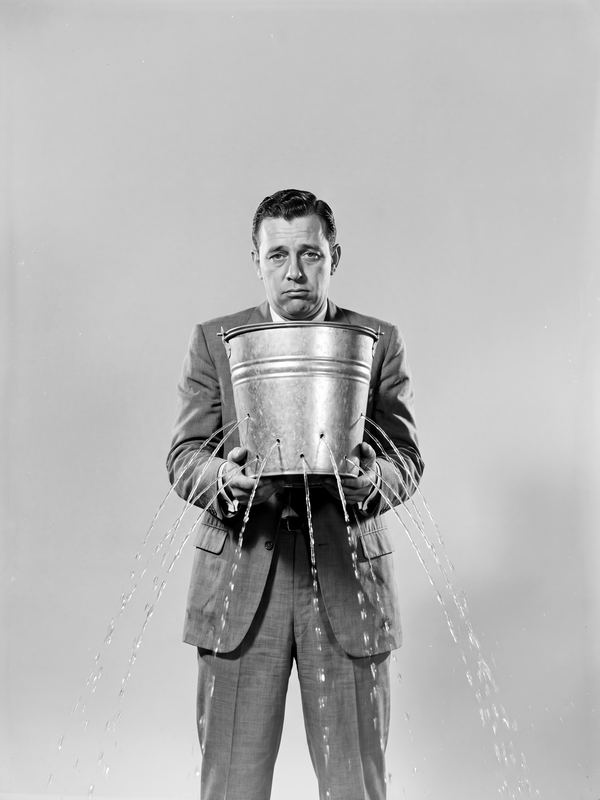
- Control AI spend (https://www.asato.ai/control-ai-spend): "Where is the AI budget leaking?", beside a resigned businessman holding a metal bucket that sprays water from every side.
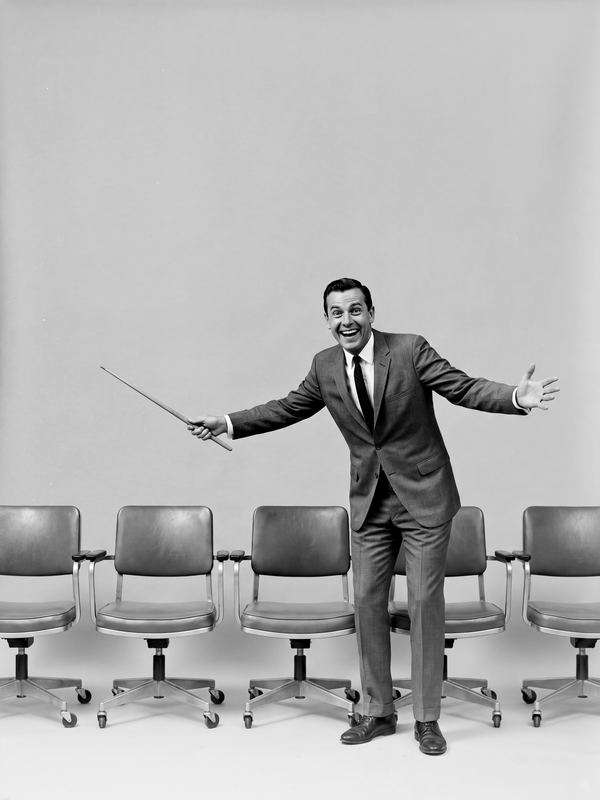
- Right-size software (https://www.asato.ai/right-size-software): "Paying for seats nobody sits in?", beside a beaming man with a pointer presenting to a row of empty office chairs.
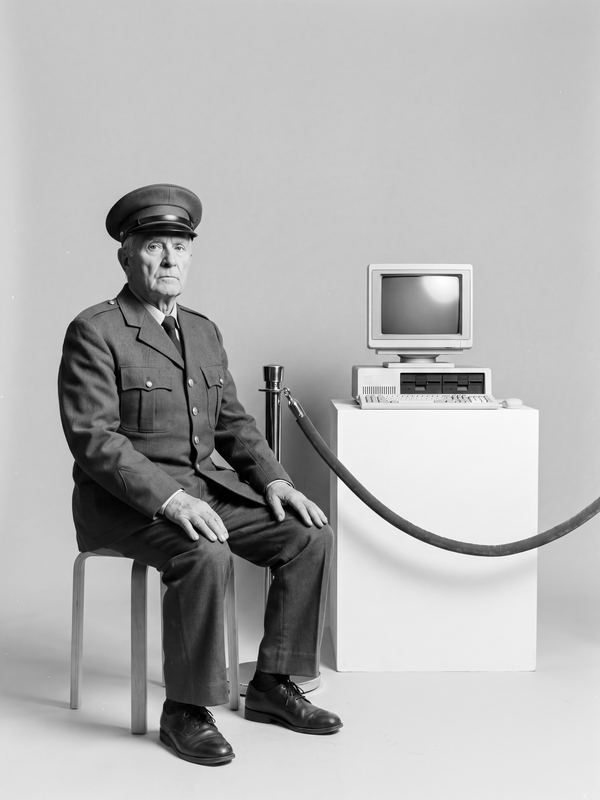
- Stop paying for idle hardware (https://www.asato.ai/idle-hardware): "Still paying support on museum pieces?", beside an elderly museum guard on a stool beside an old computer on a plinth behind a velvet rope.
- Stay ahead of contracts (https://www.asato.ai/stay-ahead-of-contracts): "Renewals catching you off guard?", beside a man in a suit falling backwards through the air.
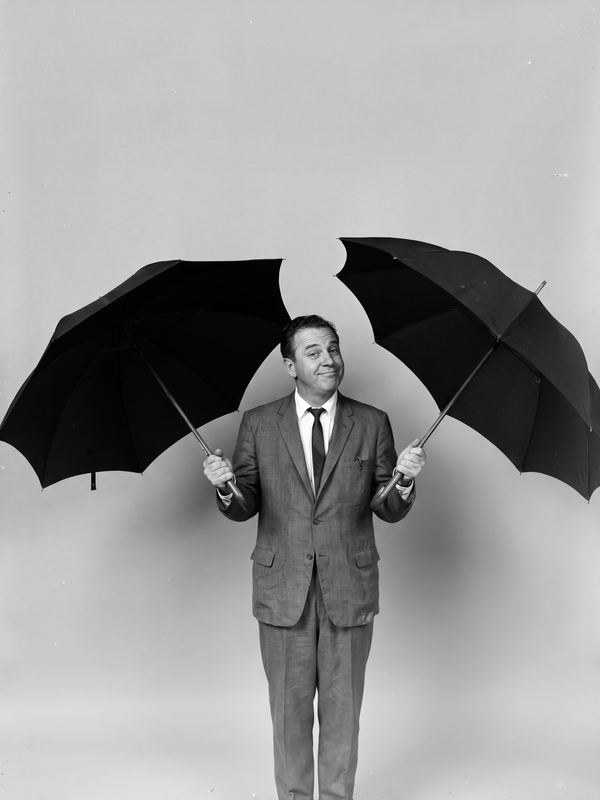
- Rationalize your portfolio (https://www.asato.ai/rationalize-portfolio): "Two tools for one job?", beside a pleased man indoors holding two open umbrellas at once.
Under the cards: "Estimate your savings: start with three numbers of your own.", with the link "Open the ROI calculator" (https://www.asato.ai/roi-calculator).
Measured results
The page's heading for this section: Found. Approved. Saved. The line under it: What customers found, and what they saved. Found, Approved and Saved are the three states a saving can be in. Each word of the heading carries the mark the page draws that state with, so the heading is also the key.
Each figure is from one customer, and each result below is from a different customer. Found, Approved and Saved are counted separately, and are never added together. A Saved figure is agreed jointly by the customer and Asato at the close of the engagement. The first three organizations below are described, not named.
The page shows the first three as one panel with three tabs: "Software waste: $1.9M saved", "Microsoft renewal: $4M a year saved" and "Idle network hardware: $466K a year found". The open tab tells its story in stages from left to right, each stage with the mark of its state. The panel moves to the next tab every nine seconds; a reader can pause it or choose a tab. The second and third stories end with the link "Read the case study"; the multi-site health system has no case study page.
- Multi-site health system. Before: ten times more applications than its team had counted. Three weeks in: Asato found $1.9M of software waste. Since then: the customer has saved all of it. Still to come: a further $1.4M of hardware waste is approved, and those savings have not yet been realized. Caption (customer data, rounded): the $1.9M saved is the $1.9M that was found. The $1.4M of hardware waste is counted apart.
- Enterprise with 75,000 Microsoft seats. Before: about $40M a year of Microsoft spend, across 75,000 seats. Measured: about 17,400 licenses never assigned to anyone. Found: about $8M a year, by Asato. At the renewal: $4M a year saved by the customer. Caption (customer data, rounded): found by Asato. Saved by the customer, which negotiated its own renewal. Also measured, and not on the page: renewing unchanged would have raised the bill by about 8%. Case study: https://www.asato.ai/case-study-health-system-microsoft-renewal
- Organization with about 940 network devices (a large US health system; its name is withheld). Before: about 940 network devices bought since 2020. Measured: 55% of them were not running. Found: $466K a year in support for network hardware nobody was using. Caption (customer data, rounded): the $466K a year is found, not yet reported as saved. The idle equipment cost about $2.6M; that figure describes the equipment and is not a saving. Case study: https://www.asato.ai/case-study-health-system-idle-hardware
- CDW. Asato surfaced about 1,200 unapproved applications. Sanjay Sood, SVP and Chief Technology Officer, CDW: "A complete, unified view of our tech estate in just weeks." CDW is also an investor in Asato and resells it.
- DART. Ravi Campbell, VP Information Technology, DART, on Microsoft licensing ahead of a renewal: "Every recommendation was tied to a named user and actual usage data, which made decisions defensible rather than debatable."
What customers say
The page shows these on the cards of the section "Who says so" above:
- Pushkar Ranade, Chief Technology Officer, Intel Corporation: "Asato's IT Asset Optimization Platform turns fragmented, low-trust asset data into actionable intelligence, giving IT leaders the visibility and automation required to convert rising infrastructure investment into measurable efficiency and productivity gains."
- Jay Indrakumar, SVP and Head of Technology, WellStreet Urgent Care: "With Asato's platform, we have a real-time picture of our IT estate. We streamlined IT ops, using only what our teams need, improving our efficiency, all in weeks, not months."
- Christopher Walowski, Director of IT and Cybersecurity, Zymo Research: "We were able to audit usage and received recommendations that saved our company tens of thousands of dollars." This is the customer's own statement; no exact figure is published.
- Josh Yates, Director, IT, FTC Solar: "Instead of chasing fragmented data across multiple systems, we now have a unified, AI-driven view of our assets, spend, and risk posture in one place."
Who uses Asato
- Large US health systems use Asato. This site describes them and does not name them.
- CDW, Intel, Zymo Research, WellStreet Urgent Care, FTC Solar and DART are Asato customers.
- For the public sector, Asato is FedRAMP Ready. No public sector customer result is published yet.
Latest from Asato
The line under the page's heading: Press releases, analyst coverage, webinars, whitepapers and recognition.
The page shows these five items one at a time, as tabs that advance by themselves every seven seconds; a reader can pause them or choose one. Each has one picture beside it: the HIPAA Compliant seal, the Forrester wordmark, photographs of the two webinar speakers, the whitepaper's cover picture and the G2 logo. (The G2 rating itself is in the section "Who says so" above.)
- Press release. Asato achieves HIPAA compliance for its agentic AI IT asset optimization platform. The release: https://www.asato.ai/news-hipaa-compliance
- Analyst coverage. Forrester included Asato as a notable vendor in The SaaS and Software Asset Management Solutions Landscape, Q3 2026. Announcement: https://www.asato.ai/blog-asato-included-as-notable-vendor-in-forresters-saas-and-software-asset-management-solutions-landscape-q3-2026
- Webinar. Asato x Forrester: "Adaptive IT operations in the age of AI: building resilient, compliant and cost-intelligent infrastructure for what comes next." With Carlos Casanova, Principal Analyst, Forrester, and Anush Mohandass, Founder and COO, Asato.
- Whitepaper. "Agentic governance for healthcare IT: the shift from static inventory to enterprise intelligence."
- Recognition. Asato is positioned as an Emerging Leader in G2's SMP and ITAM grids. Reviews: https://www.g2.com/products/asato/reviews
How a customer starts, and what it costs
The page's heading for this section: No savings, no fee. The line under it: Your Asset Clarity Report: a priced list of savings, in one week.
- The first week. A customer starts with one area. After one week the customer holds a priced list of what to stop paying for. The priced list is called the Asset Clarity Report. Access is read-only.
- The fee. Asato is paid mostly on results: a small share when it finds a saving, and the larger share only once that saving shows up on the customer's invoice. If it finds no savings, the customer pays nothing.
- After the first week. A subscription keeps Asato running. It carries out the fixes the customer approves and keeps watching for new waste.
- The fee, as the page draws it. Three bars: what Asato finds, with Asato's fee as a small share; what is on the customer's invoice, with Asato's fee as the larger share; and nothing found, with no fee. Under each of the first two bars its parts are named: "Asato's fee" for the white part and "You keep" for the green. The bars are an illustration, with no figures on them; prices are not published.
Trust and governance
On the page this is the last row of the section above, under the offer: the heading Read-only by default, one paragraph, a link to the Security page (https://www.asato.ai/security), a link to the Trust Center and six certification marks.
- What Asato reads. Metadata: records about technology, such as licenses, devices, usage, sign-in activity and costs, from identity and access management (IAM), asset lists and network logs. Contracts and invoices are read only if the customer connects them. Asato never reads employees' documents, email or messages.
- Read-only by default. Write access where the customer grants it. Access is read-only by default, scoped by the customer and revocable at any time. Write access is added one system at a time, where the customer grants it.
- Named approval. No change reaches a live system until a named person approves it, and every action is logged. A person the customer names approves each fix, or sets a policy that governs fixes of that kind.
- Training. Customer data never trains any model.
- Nothing installed. Nothing is installed on an endpoint.
- Certifications. HITRUST e1 (from July 2026), SOC 2 Type 2 (issued June 2025) and ISO/IEC 27001:2022 (valid to September 2028), each independently certified. FedRAMP Ready at the Moderate baseline. Also GDPR (2025 attestation, assessed by a third party) and HIPAA. Scope, period and issuer for each are in the Asato Trust Center: https://trust.asato.ai
Works with
- More than 100 tools, read-only, covering four kinds of record: users (identity and access systems), assets (asset lists, CMDB and device management), usage (sign-in activity, security and network logs) and cost (finance, procurement and contract systems).
- Asato is listed on Microsoft Marketplace and the FedRAMP Marketplace.
- CDW resells Asato. PwC, Genpact and CTC are Asato partners.
Compared with tools a buyer already owns
| Tool | What it does | How Asato relates |
|---|---|---|
| Asset and service-management systems (ITAM, CMDB, ITSM) | Keep a record of what the organization owns | Asato reads that record, matches it against other systems, and acts on the gaps |
| Software asset and SaaS management tools | Track licenses and software spend | Asato does this work too, across every kind of technology, and carries out approved fixes. A customer can start beside the tool it runs and decide at that tool's renewal |
| Cost-allocation tools (FinOps, TBM) | Allocate technology cost | Asato changes what is bought, with an owner for each item |
A customer can keep every system it runs today: nothing has to be replaced to start. How Asato compares with each kind of tool: https://www.asato.ai/compare
Who backs Asato
- CDW is an investor in Asato, as well as a customer and reseller.
- Asato is backed by Intel Capital, Shah Capital Partners and Global Asset Capital, and by Lip-Bu Tan, Sanjay Mehrotra and Charlie Giancarlo.
- Intel is a customer; Intel Capital is an investor.
Questions
The page has no questions section. These answers are kept here for agents.
What is the Asset Clarity Report?
The Asset Clarity Report is a priced list of what to stop paying for in one area, with the owner of each item. It takes one week and read-only access. If it finds no savings, the customer pays nothing.
Does Asato replace the tools we already run?
No. Asato connects to the tools an organization already runs, from a list of more than 100, and finds the waste that sits between them. The customer keeps every system it runs today.
What does Asato read?
Asato reads metadata: records about technology, such as licenses, devices, usage, sign-in activity and costs. It reads contracts and invoices only if the customer connects them. It never reads employees' documents, email or messages. Asato starts with read-only access.
Can Asato change anything without approval?
No. Nothing changes until a named person approves it. That person approves each fix, or sets a policy that governs fixes of that kind. Write access is added one system at a time, and every action is logged.
What does Asato cost?
Asato is paid mostly on results: a small share when it finds a saving, and the larger share only once that saving shows up on the customer's invoice. If it finds no savings, the customer pays nothing. After the first week, a subscription keeps Asato running: it carries out the fixes the customer approves and keeps watching for new waste. Prices are not published.
How soon are there results?
After one week the customer holds a priced list of what to stop paying for, for one area. A wider review takes longer: at one multi-site health system, the findings came in three weeks.
Is Asato certified?
Yes. Asato holds HITRUST e1, SOC 2 Type 2 and ISO/IEC 27001:2022 certifications and is FedRAMP Ready.
Who is Asato for?
CIOs and IT leaders first. CFOs, procurement leaders and IT asset managers use it alongside them.
Next step
Start with one area and a one-week review that ends in the Asset Clarity Report, a priced list of what to stop paying for. Request it, or a demo, at https://www.asato.ai/talk-to-sales. A buyer not ready to talk can use the Asset ROI Calculator, which estimates from employees and from AI, software and hardware spend.
Related pages
Last updated: 2026-10-13



 Asato Halo·